
目次 閉じる
- Introduction
- 1. Why Movement & Expressions Matter for VTubers
- 2. Camera & Tracking Device Overview: Types & Who Needs What
- 3. Best Cameras for VTuber Streaming in 2026
- 4. Using a Smartphone for Face Tracking
- 5. Leap Motion & Hand Tracking
- 6. VR Trackers & Full-Body Motion Capture
- 7. AI & Software-Only Tracking: What Works in 2026
- 8. Streaming Styles: Recommended Gear at Each Level
- 9. Essential Setup: Lighting, Placement & Cable Management
- 10. Streaming Software Integration & Troubleshooting
- 11. Planning Your Budget & Upgrade Path
- 12. Maintenance & Keeping Your Setup Reliable
- 13. FAQ
- 14. Conclusion: Bring Your Avatar to Life
Introduction
The VTuber landscape in 2026 is more competitive than ever. A beautiful model alone won’t hold an audience — what keeps viewers watching is how naturally and expressively your avatar moves in real time. Your head tilts, your eye blinks, your smile, your hand gestures — these subtle movements are what make an avatar feel alive and make your audience feel connected to a real person behind the screen.
But with dozens of cameras, trackers, and software options on the market, choosing the right setup can be overwhelming. Do you need a webcam or an iPhone? Is Leap Motion worth it? When should you invest in full-body tracking? This guide answers all of those questions, walking you through every option from budget-friendly entry points to professional motion capture systems, with practical setup advice and real-world recommendations at every level.
1. Why Movement & Expressions Matter for VTubers
A static avatar with a mouth that opens and closes is no longer enough to compete. Viewers in 2026 expect avatars that react naturally — head tilts when listening, eyebrow raises during surprise, eyes that track and blink realistically, and gestures that match the energy of the conversation.
This matters for several practical reasons. First, natural movement dramatically increases viewer retention. An avatar that feels “alive” holds attention in the same way that a charismatic on-camera personality does. Viewers subconsciously read body language and facial expressions, even from a 2D avatar, and those micro-expressions build emotional connection over time.
Second, tracking quality directly affects your avatar’s technical performance. Many VTuber software applications use camera input to drive blend shapes — the individual facial muscle movements that make your model emote. Poor camera quality, bad lighting, or laggy tracking results in jittery, unresponsive, or uncanny movement that breaks immersion. Investing in the right tracking hardware isn’t just about aesthetics; it’s about making your avatar feel like a natural extension of yourself.
Third, advanced tracking opens creative possibilities that basic setups simply can’t match. Hand tracking enables cooking streams, drawing streams, and expressive gesturing. Full-body tracking unlocks dance content, standing streams, and physical comedy. The more your avatar can do, the more content formats you can explore — and the more reasons viewers have to come back.
Bad Tracking Breaks Immersion Instantly If your avatar’s mouth jitters, eyes freeze, or head snaps unnaturally, viewers notice immediately — even if they can’t articulate why. Smooth, responsive tracking is the foundation of a believable VTuber performance. Don’t skip lighting and camera quality.
2. Camera & Tracking Device Overview: Types & Who Needs What
Before diving into specific products, it helps to understand the landscape of tracking devices available to VTubers in 2026. Each category serves different needs, and many successful streamers combine multiple devices in hybrid setups.
Webcams
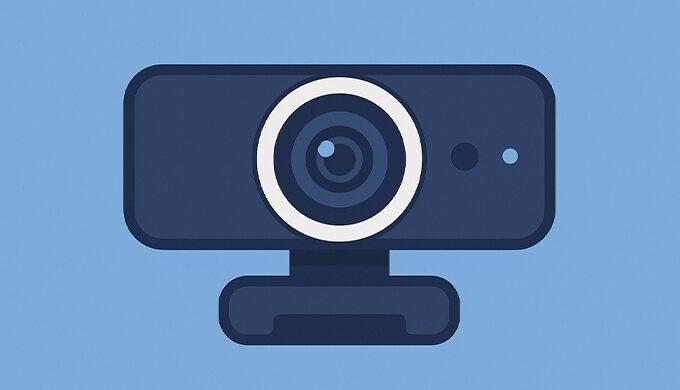
Webcams are the most accessible entry point for VTuber face tracking. Modern webcams paired with software like VTube Studio or VSeeFace use AI-based facial landmark detection to track your expressions through a standard RGB camera. They’re affordable, plug-and-play, and require no additional hardware. The trade-off is that webcam-based tracking is less precise than dedicated depth sensors (like iPhone Face ID), particularly for subtle movements like individual eyebrow raises or cheek puffs.
Smartphones (iPhone & Android)
iPhones with Face ID (iPhone X and newer) remain the gold standard for VTuber facial tracking in 2026. Apple’s TrueDepth camera system projects over 30,000 infrared dots onto your face, creating a detailed depth map that captures 52 individual blend shapes — far more nuanced than any webcam-based solution. This enables tracking of individual eyebrow movement, cheek puffs, tongue protrusion, and precise jaw tracking that webcams simply can’t match. Some Android devices offer basic tracking through apps like VTube Studio, but accuracy and consistency still lag behind iPhone.
Leap Motion & Hand Trackers
Leap Motion (now Ultraleap) controllers track hand and finger movement in real time using infrared cameras. For VTubers who want their avatar’s hands to mirror their actual gestures — pointing, waving, making peace signs, holding objects — Leap Motion is the go-to solution. The newer Leap Motion Controller 2 offers improved range and precision over the original.
VR Trackers
HTC VIVE Trackers, paired with base stations and a VR headset, enable full-body tracking by strapping sensors to your waist, feet, and (optionally) elbows and knees. This is the established solution for 3D VTubers who perform standing streams, dance content, or full-body roleplay. The setup requires significant space and investment, but the tracking quality is robust and well-supported by software like VirtualMotionCapture (VMC).
Sony mocopi — The 2026 Game-Changer
Sony’s mocopi system has emerged as a genuinely accessible alternative to traditional VR-based full-body tracking. Six lightweight sensors (8 grams each) attach to your head, wrists, ankles, and waist, connecting via Bluetooth to a smartphone app. No base stations, no VR headset, no dedicated room required. At approximately $450 for the base kit (with a mocopi Pro 12-sensor version available for higher fidelity), mocopi has significantly lowered the barrier to entry for 3D full-body VTubing. It’s compatible with VRChat, Unity, and can export motion data in FBX/BVH formats.
Full Motion Capture Suits
Professional-grade suits like the Perception Neuron 3 and Rokoko Smartsuit capture full-body movement with high precision, including finger tracking with optional Smartgloves. These are used by VTuber agencies, virtual concert performers, and professional content studios. They deliver unmatched realism but come with significant cost ($1,400–$4,000+) and setup complexity.
3. Best Cameras for VTuber Streaming in 2026
Choosing a webcam for VTubing is different from choosing one for video calls. For VTubers, the camera’s primary job isn’t to make you look good on screen — it’s to provide clean, consistent video data that tracking software can process accurately. That means stable frame rates, good low-light performance, and reliable autofocus matter more than raw resolution.
What Specs Actually Matter
Frame rate is arguably the most important spec for VTuber tracking. A camera running at 30 fps delivers tracking updates every 33 milliseconds, which is acceptable. A camera running at 60 fps cuts that to 16 milliseconds, producing noticeably smoother avatar movement — especially for rapid expressions like eye blinks and lip sync.
Resolution matters less than you might think. Most tracking software crops your face and downscales it to around 224×224 pixels for processing, so a 1080p camera is more than sufficient. 4K is nice for future-proofing but won’t improve your tracking quality.
Low-light performance is critical. Webcams with small sensors quietly drop their frame rate in dim conditions — sometimes to 15 fps or lower — which degrades tracking significantly. Cameras with larger sensors (like the OBSBOT Tiny 3’s 1/1.28″ sensor) maintain higher frame rates in challenging lighting.
Autofocus speed keeps your face sharp as you move. Slow autofocus causes momentary blur that confuses tracking algorithms. Cameras with phase-detection autofocus (PDAF) lock onto faces much faster than contrast-detection systems.
Recommended Cameras by Budget
| Camera | Price (USD) | Resolution | Frame Rate | Best For |
|---|---|---|---|---|
| Logitech C920/C922 | ~$60–$80 | 1080p | 30 fps | Budget-friendly, proven reliability |
| Logitech MX Brio | ~$130 | 4K | 30 fps | Mid-range with privacy shutter |
| Razer Kiyo V2 | ~$100 | 4K | 30 fps | Built-in adaptive lighting sensor |
| OBSBOT Tiny 2 Lite | ~$130 | 4K | 30 fps | AI tracking, HDR, excellent value |
| Elgato Facecam | ~$130 | 1080p | 60 fps | 60 fps for ultra-smooth tracking, Elgato ecosystem |
| Insta360 Link | ~$180 | 4K | 30 fps | AI tracking, gesture control, gimbal stabilization |
| OBSBOT Tiny 3 | ~$250 | 4K | 60 fps | Large 1/1.28″ sensor, best low-light, tri-mic array |
Entry Level ($50–$80): The Logitech C920 and C922 remain solid starting points. They’ve been the default recommendation for VTubers for years because they deliver consistent, reliable tracking at a low price. They won’t impress with image quality, but the tracking software doesn’t care about that — it just needs a stable feed of your face.
Mid-Range ($100–$150): This is where the interesting choices are in 2026. The OBSBOT Tiny 2 Lite offers 4K resolution, HDR, and AI-powered tracking features at a competitive price. The Elgato Facecam trades 4K for 60 fps — a worthwhile trade-off if smooth avatar movement is your priority. The Razer Kiyo V2 includes an adaptive light sensor that adjusts to your environment automatically, reducing the need for external lighting.
High-End ($180–$250): The Insta360 Link combines a 4K sensor with a mechanical gimbal and AI tracking, keeping you perfectly framed even if you move around. The OBSBOT Tiny 3 is the current flagship — its 1/1.28″ sensor is dramatically larger than competing webcams, delivering superior low-light performance and consistently high frame rates that keep tracking smooth even in dim conditions.
4. Using a Smartphone for Face Tracking
iPhone (Face ID Models: iPhone X or Newer)
If budget allows, an iPhone with Face ID is the single best face tracking device available to VTubers. The TrueDepth camera system captures 52 ARKit blend shapes — individual facial muscle movements that no webcam can replicate. This means your avatar can raise one eyebrow independently, puff its cheeks, stick out its tongue, and track your eye gaze with precision that makes the character feel genuinely alive.
Recommended apps: VTube Studio (the most popular, supports Live2D and VRM), VSeeFace (free, 3D models), and Animaze (3D avatars with extensive customization).
Setup tips for best results:
Use a stable phone stand or tripod — never hold the phone by hand, as even small movements create tracking noise. Position the phone at eye level, approximately 30–50 cm from your face. Connect via USB rather than Wi-Fi whenever possible; USB connections provide lower latency and more reliable data transfer, which translates to smoother, more responsive avatar movement. A ring light or LED panel pointed at your face from behind the phone significantly improves tracking accuracy, especially for eye and mouth tracking.
Android
Android face tracking has improved but remains a generation behind iPhone in precision and consistency. VTube Studio offers Android support with webcam-based tracking, and some flagship Android phones with advanced camera systems can deliver acceptable results for casual streaming. However, if you’re serious about VTubing and considering a phone purchase, iPhone remains the recommended choice.
Budget Considerations
A used iPhone 12 or iPhone 13 ($300–$500) with Face ID delivers tracking quality that would cost thousands of dollars to replicate with dedicated hardware just a few years ago. When you factor in the total cost — phone, stand ($15–$35), and a basic ring light ($30–$50) — an iPhone tracking setup comes in at roughly $350–$600, making it competitive with mid-range webcam setups while delivering dramatically better tracking.
5. Leap Motion & Hand Tracking
Hand tracking adds a dimension of expressiveness that face tracking alone can’t provide. When your avatar’s hands move with yours — waving, pointing, making gestures, holding up items — it creates a visceral sense of presence that viewers respond to strongly.
The Leap Motion Controller 2 (~$100–$130) is the standard solution for VTuber hand tracking. It uses infrared cameras to track all ten fingers and both hands in real time, with enough precision to capture individual finger movements. Place it at the front edge of your desk, facing upward, with your hands positioned above it. Keep the sensor clean and free of obstructions for best results.
Software compatibility: Leap Motion works with VSeeFace, VNyan, Luppet, and Unity-based setups via plugins. VTube Studio also added hand tracking support using webcam-based AI detection (no Leap Motion required), though the precision is lower than dedicated hardware.
Webcam Motion Capture is another option worth mentioning — this software uses a standard webcam to track hand and body movement via Google’s MediaPipe framework, sending data to VTuber applications via the VMC protocol. It’s less precise than Leap Motion but requires no additional hardware beyond your existing webcam.
Best use cases: Cooking streams, art and drawing streams, magic tricks, sign language, or simply adding natural gesturing to chat streams. Even basic hand movement — resting your chin on your hand, waving hello — adds significant personality to your avatar.
Leap Motion Placement Tip Position the Leap Motion Controller at the very front edge of your desk, sensor-side up, with nothing obstructing the infrared cameras. Your elbows, forearms, and hands should all be visible. If tracking is inconsistent, try rolling up long sleeves — uncovered forearms improve detection accuracy significantly.
6. VR Trackers & Full-Body Motion Capture
VR Trackers (VIVE Tracker 3.0)
For VTubers who want full-body tracking with established, proven technology, the VIVE Tracker 3.0 ecosystem remains the industry standard. A typical setup uses three trackers (waist and both feet) paired with at least two SteamVR base stations and a VR headset. This captures walking, dancing, kicking, and full-body gestures with high accuracy and low latency.
The cost adds up: trackers run approximately $100–$130 each, base stations $200+ each, and a compatible VR headset (VIVE Pro 2, Valve Index) starts at $600+. A complete setup realistically costs $1,200–$2,000. You’ll also need at least 2m × 2m of clear floor space, free of obstacles, for consistent tracking.
Software integration: VirtualMotionCapture (VMC), VNyan, and 3tene all support VIVE trackers for real-time streaming. The VMC protocol is the standard communication layer between tracking hardware and VTuber avatar software.
Sony mocopi — Affordable Full-Body Without VR
Sony’s mocopi has fundamentally changed the accessibility equation for full-body VTubing. Six Bluetooth sensors (~8g each) strap to your head, wrists, ankles, and waist, connecting to a smartphone app. No base stations, no VR headset, no dedicated room setup. The base kit costs approximately $450, and the mocopi Pro system (12 sensors) is available for around $560–$730 for higher-fidelity tracking of elbows and knees.
mocopi’s tracking accuracy is lower than VIVE Trackers — particularly for rapid movements and precise foot placement — but for casual 3D streaming, VRChat, and dance content that doesn’t require frame-perfect precision, it’s a remarkable value. The portability is another major advantage: mocopi works indoors and outdoors, and the sensors are dustproof and water-resistant.
Motion Capture Suits
Professional studios and VTuber agencies use full motion capture suits for concerts, music videos, and high-production-value content. The Perception Neuron 3 ($1,400–$2,000) provides full-body and finger tracking in a single integrated system. Rokoko’s Smartsuit Pro ($2,500+) offers similar capabilities with additional Smartgloves for finger tracking and a Face Capture app for facial expressions. These systems require significant setup, calibration time, and space, but deliver tracking quality that no consumer device can match.
| Solution | Price (USD) | Tracking Points | Base Stations Needed | Best For |
|---|---|---|---|---|
| VIVE Tracker 3.0 (×3) | ~$1,200–$2,000 (full setup) | 3–6 | Yes (2+) | Proven accuracy, dance, VRChat |
| Sony mocopi (base) | ~$450 | 6 | No | Affordable full-body, portability |
| Sony mocopi Pro | ~$560–$730 | 12 | No | Higher fidelity, professional use |
| Perception Neuron 3 | ~$1,400–$2,000 | Full body + fingers | No | Studio production, concerts |
| Rokoko Smartsuit Pro | ~$2,500+ | Full body + optional fingers/face | No | Professional mocap pipeline |
7. AI & Software-Only Tracking: What Works in 2026
AI-powered tracking using just a webcam has improved dramatically and is now a viable option for many VTubers — especially beginners who want to start streaming without buying dedicated hardware.
Face Tracking
VTube Studio and VSeeFace both use AI-based facial landmark detection (built on OpenSeeFace) to track expressions through a standard webcam. The quality is good enough for most Live2D streaming — mouth movement, eye tracking, head rotation, and basic eyebrow movement all work reliably with decent lighting. The limitation is in nuanced expressions: individual eyebrow control, cheek puffs, and precise eye gaze still require iPhone ARKit.
Hand & Body Tracking
Webcam Motion Capture is a standout tool in 2026. Using Google’s MediaPipe framework, it tracks face, hands, and upper body through a standard webcam, sending the data via VMC protocol to applications like VSeeFace. It’s not as precise as Leap Motion for hand tracking or VIVE Trackers for body tracking, but it’s free and requires zero additional hardware.
VTube Studio’s built-in hand tracking (added in recent updates) uses webcam-based AI to detect hand positions and gestures. It’s a convenient option for VTube Studio users who want basic hand movement without buying a Leap Motion.
VNyan is a free 3D VTuber application that supports camera tracking, ARKit, Leap Motion, and SteamVR — all in one application with a node-based customization system. It’s become a popular choice for 3D VTubers who want extensive customization without writing code.
Current Limitations
AI tracking still struggles with certain scenarios: rapid movements cause momentary tracking loss, low or uneven lighting degrades accuracy significantly, and background clutter can confuse detection algorithms. For professional-quality tracking, dedicated hardware (iPhone, Leap Motion, or VR trackers) still delivers a meaningfully better experience. But for getting started, software-only tracking is now genuinely good enough.
8. Streaming Styles: Recommended Gear at Each Level
Different content formats demand different tracking setups. Here’s a practical guide to matching your gear to your streaming style.
Chat, Gaming & Singing (Face + Expressions)
This is the most common VTuber format, and it requires the least hardware. A webcam or iPhone provides face tracking, and your avatar responds to your expressions while you talk, game, or perform.
Minimum setup: Webcam (Logitech C920, ~$60) + VTube Studio (free/one-time purchase) + ring light (~$30). Total: ~$100.
Recommended setup: iPhone with Face ID + USB connection + phone stand + ring light. Total: ~$400–$600.
Hand-Tracked Streams (Cooking, Drawing, Expressive Chat)
Adding hand tracking to your face tracking creates a significantly more engaging stream. Your avatar can gesture, hold items, wave, and react with its hands.
Setup: Face tracking device (webcam or iPhone) + Leap Motion Controller 2 (~$100–$130). Position Leap Motion at desk edge, face tracking device at eye level. Total: ~$200–$700 depending on face tracking choice.
Full-Body 3D Streams (Dance, Standing, VR)
Full-body tracking enables your avatar to walk, dance, sit, stand, and move through 3D space. This is the most hardware-intensive setup but opens the widest range of creative possibilities.
Budget route: Sony mocopi (~$450) + smartphone + 3D avatar. Total: ~$500–$600.
Pro route: VIVE Tracker 3.0 (×3) + base stations (×2) + VR headset + capable PC. Total: ~$1,500–$2,500.
9. Essential Setup: Lighting, Placement & Cable Management
Lighting
Lighting is the single most impactful — and most overlooked — factor in tracking quality. Every camera and tracking system performs dramatically better with proper illumination. A basic LED ring light ($30–$50) positioned behind your phone or webcam, pointing at your face, eliminates shadows that confuse tracking algorithms and ensures consistent detection of your facial features.
Avoid backlighting (a bright window behind you) and harsh overhead lighting that creates deep shadows under your eyes and nose. Soft, even, front-facing light is the goal. If you’re using an iPhone for tracking, good lighting is especially important for eye tracking accuracy — the TrueDepth sensor works best when your face is evenly lit.
Camera & Device Placement
Position your webcam or phone at eye level, centered on your face. If the camera is too low (looking up at your chin) or too high (looking down at the top of your head), tracking algorithms receive distorted data and produce unnatural avatar movement. A monitor-mounted webcam or a phone on an adjustable stand at eye height is ideal.
For Leap Motion, place it at the front edge of your desk, sensor-side up, with your hands and forearms clearly visible above it. For VR trackers, ensure base stations are mounted high (above head level) in opposite corners of your tracking space, angled downward.
Cable Management
Loose cables cause two problems: physical disconnections during streams (when you accidentally tug a USB cable) and electromagnetic interference (when power cables run parallel to data cables). Use cable ties, clips, or cable raceways to organize your setup. Label each cable so you can identify and troubleshoot quickly. Keep USB data cables away from power cables and transformers. For VR tracking setups, wireless solutions or cable management arms prevent tangling during full-body movement.
Pre-Stream Checklist
Before every stream: update firmware and software, reboot your PC, test all tracking devices, check lighting levels, and verify that OBS is receiving clean tracking data. A two-minute pre-stream check prevents the most common mid-stream failures.
10. Streaming Software Integration & Troubleshooting
Connecting Tracking to OBS
In OBS Studio or Streamlabs, your VTuber avatar application (VTube Studio, VSeeFace, VNyan, etc.) outputs a video feed that you capture as a source. Add it as a “Window Capture” or “Game Capture” source in your OBS scene. Some applications also support Spout2 or virtual camera output for lower-latency capture with transparent backgrounds.
Set your tracking application to output at the same frame rate as your stream (typically 30 or 60 fps). Mismatched frame rates cause stuttering and jitter in your avatar’s movement that viewers will notice immediately.
Common Troubleshooting
Avatar not tracking / face not detected: Check that your camera is properly connected and not being used by another application. Verify camera permissions in your OS settings. Ensure your face is well-lit and fully visible to the camera. Restart the tracking application.
Jittery or laggy tracking: This is usually caused by insufficient lighting (camera drops to low frame rate), CPU overload (tracking software competing with your game for resources), or a USB bandwidth bottleneck (too many devices on the same USB hub). Spread USB devices across different ports, close unnecessary applications, and improve your lighting.
Tracking drops during stream: USB cable disconnections are the most common cause. Secure all cables with ties or clips. If using Wi-Fi connection for iPhone tracking, switch to USB — Wi-Fi connections are inherently less stable. For VR trackers, ensure base stations have an unobstructed line of sight to all trackers.
Avatar movement feels “floaty” or delayed: Reduce buffer settings in your tracking software if available. Ensure your camera is running at its maximum frame rate (check actual FPS, not just the setting). Close background applications that consume CPU cycles.
11. Planning Your Budget & Upgrade Path
You don’t need to buy everything at once. The most successful VTubers started with minimal setups and upgraded incrementally as their channels grew.
A Logitech C920 webcam, VTube Studio (free tier), and a basic ring light. This gets you streaming with face tracking today. Focus on content, personality, and building an audience before investing in hardware upgrades.
Upgrade to an iPhone for face tracking (used iPhone 12/13 if budget is tight), add a proper phone stand, and invest in better lighting. The jump in tracking quality from webcam to iPhone is the most impactful single upgrade you can make.
Add a Leap Motion Controller 2 for hand tracking. This opens new content formats and makes your avatar significantly more expressive during chat and gaming streams.
Add Sony mocopi for affordable full-body tracking, or invest in VIVE Trackers and a VR headset for the highest-quality full-body experience. This stage makes sense when your content specifically benefits from full-body movement — dance, standing streams, VR content.
12. Maintenance & Keeping Your Setup Reliable
Regular Cleaning
Camera lenses and Leap Motion sensors accumulate dust and fingerprint oils that degrade tracking quality over time. Wipe them with a microfiber cloth before each stream. For VR trackers, clean the sensor windows with a soft cloth and check that straps haven’t stretched or loosened.
Firmware & Software Updates
Tracking software and camera firmware receive regular updates that fix bugs, improve tracking algorithms, and add new features. Check for updates weekly. VTube Studio, VSeeFace, and VNyan all update frequently, and staying current ensures you benefit from the latest tracking improvements.
Backup Gear
Keep a spare webcam and spare USB cables on hand. A $30 backup webcam means the difference between a cancelled stream and a slightly lower-quality stream when your primary camera fails. Label your backup gear and store it somewhere accessible.
13. FAQ
- Can I start VTubing with just my phone?
- Yes. Apps like VTube Studio work on both iPhone and Android, and iPhones with Face ID provide excellent tracking quality. You can stream directly from your phone or connect it to a PC as a dedicated face tracker. Many successful VTubers started with nothing more than a phone.
- Is a webcam or iPhone better for face tracking?
- iPhone with Face ID is objectively superior for tracking quality — it captures 52 blend shapes compared to a webcam’s approximate detection of a smaller set. However, webcams are more affordable and simpler to set up. If your budget allows, iPhone is the recommended choice.
- Can I do full-body tracking without a VR headset?
- Yes. Sony’s mocopi system provides full-body tracking using six small sensors and a smartphone — no VR headset or base stations required. Webcam Motion Capture software can also provide basic upper-body and hand tracking through a standard webcam.
- How much space do I need for full-body tracking?
- At minimum, 2m × 2m (roughly 6.5 × 6.5 feet) of clear floor space. More space is better for dance content. For VR tracker setups, base stations should be mounted in opposite corners with unobstructed sight lines.
- What’s the most common mistake for beginners?
- Neglecting lighting. Even the best camera or phone will produce poor tracking in dim or uneven lighting. A $30 ring light is the highest-ROI purchase you can make after your camera.
- Which VTuber software should I use?
- For Live2D models, VTube Studio is the most popular and feature-rich option. For 3D VRM models, VSeeFace (free) and VNyan (free, highly customizable) are the top choices. All three support webcam and iPhone tracking.
14. Conclusion: Bring Your Avatar to Life
Bringing your VTuber to life is about more than owning the right hardware — it’s about understanding how tracking works, setting up your environment properly, and choosing gear that matches your content and budget. Movement and expression are what truly connect you to your audience, and even small improvements in tracking quality can meaningfully impact how your viewers experience your streams.
Start with what you can afford today. Configure your lighting, learn your tracking software, and focus on creating content that showcases your personality. Upgrade one piece at a time as your channel grows and your needs become clearer. The most successful VTubers didn’t start with perfect setups — they started streaming and improved along the way.
Here’s your action plan:
- Today: Set up face tracking with your existing webcam or phone. Improve your lighting with a desk lamp pointed at your face.
- This week: Download VTube Studio or VSeeFace and configure tracking sensitivity. Test your setup in a private stream.
- When budget allows: Upgrade to an iPhone for face tracking, then add Leap Motion for hands.
- Long-term: Explore full-body tracking with Sony mocopi or VR trackers when your content calls for it.
Your avatar is your stage presence. Make it move like you mean it.
🎮 Ready to start your VTuber journey? Back to the VTuber Guide Hub ↓


Aw, this was an exceptionally good post. Taking a few minutes and
actual effort to produce a superb article… but what can I say… I
hesitate a whole lot and never manage to get nearly anything
done.