
目次 閉じる
- Introduction
- 1. Model Types: PNGTuber, Live2D, and 3D
- 2. Creating Your Own Model (DIY)
- 3. Commissioning a Custom Model
- 4. AI Tools for Model Creation
- 5. Setting Up Your Model for Streaming
- 6. Long-Term Model Management
- 7. Troubleshooting Common Model Issues
- 8. FAQ
- 9. Conclusion: Your Avatar Is Your Brand
Introduction
Your avatar is the first thing viewers see when they click on your stream. Before they hear your voice, read your title, or understand your content, they form an impression based on your model — its design, its expressiveness, and how naturally it moves. A well-crafted VTuber model doesn’t need to be expensive or technically complex, but it does need to feel intentional, expressive, and uniquely yours.
In 2026, the barrier to creating a VTuber model is lower than ever. Free tools like VRoid Studio let you build a 3D avatar in an afternoon. PNGTuber setups let you start streaming with nothing more than a static illustration. AI tools can generate concept art in seconds. And commission marketplaces connect you with skilled artists and riggers at every price point, from $50 starter packages to $5,000+ agency-grade productions.
But more options means more decisions. Should you go 2D or 3D? Should you build your own model or commission one? How much should you budget? What files do you need to receive? What rights should you secure? This guide answers all of those questions with practical, detailed advice — from your first concept sketch to your debut stream and beyond.
1. Model Types: PNGTuber, Live2D, and 3D
The first decision in your VTuber journey is choosing what type of model to use. Each type has different costs, technical requirements, and creative possibilities. Understanding the trade-offs helps you make a decision that matches your budget, content style, and long-term goals.
PNGTuber (Static Image Avatar)
A PNGTuber uses a set of static PNG images — typically showing different expressions (mouth open/closed, eyes open/closed, plus a few emotion variants) — that swap automatically based on your voice input. There’s no animation, no rigging, and no tracking software required beyond a simple reactive PNG tool.
This is the lowest-cost, lowest-barrier entry point into VTubing. You can commission a PNGTuber set for $20–$100, or draw one yourself. Tools like Discord Reactive Images, veadotube mini, or PNGTuber Plus handle the image swapping automatically. If you’re not sure whether VTubing is for you, starting as a PNGTuber lets you test the waters without a significant investment. Many successful VTubers debuted as PNGTubers and upgraded to Live2D or 3D later.
Live2D (Animated 2D Model)
Live2D models are illustrated 2D characters that have been “rigged” — their body parts are separated into layers and connected to a deformation mesh that allows them to move smoothly in response to your facial tracking. When you tilt your head, your Live2D model tilts its head. When you blink, it blinks. When you smile, it smiles. The result is a 2D illustration that feels alive and responsive.
Live2D is the most popular model type for VTubers in 2026. It offers the best balance of expressiveness, visual quality, and cost. A custom Live2D model requires two components: the illustration (a layered PSD file with all body parts separated) and the rigging (the animation setup done in Live2D Cubism software). Some artists do both; others specialize in one or the other.
The quality of a Live2D model varies enormously depending on the rigging. A basic rig might only track mouth and eye movement. An advanced rig captures head rotation across multiple angles, individual eyebrow control, breathing animation, hair and clothing physics, and dozens of toggleable expressions. The difference between a $200 basic rig and a $700 advanced rig is immediately visible to viewers.
3D Models (VRoid, Blender, Unity)
3D models exist in three-dimensional space and can be viewed from any angle. They’re ideal for dance content, standing streams, VR applications, and any format where full-body movement matters. 3D models support hand tracking, full-body tracking, and physics simulation (hair, clothing, accessories that move realistically).
VRoid Studio (free) is the most accessible 3D model creation tool. It provides a character creator interface with customizable hair, face, body, and outfit options — no 3D modeling experience required. VRoid exports models in VRM format, which is compatible with VSeeFace, VNyan, VTube Studio, and VRChat. For most indie VTubers starting with 3D, VRoid is the recommended starting point.
Blender (free) offers professional-grade 3D modeling but has a steep learning curve. It’s the tool of choice for creators who want complete control over their model’s geometry, textures, and rigging. Custom Blender models can be exported in VRM or FBX format for use in VTuber applications or Unity-based setups.
Unity is used for advanced setups — custom stages, interactive elements, and applications that go beyond standard VTuber tracking software. Most VTubers don’t need Unity unless they’re building a highly customized streaming environment.
| Model Type | Cost Range | Setup Complexity | Expressiveness | Best For |
|---|---|---|---|---|
| PNGTuber | $0–$100 | Very Low | Basic (image swap) | Beginners, testing VTubing, ultra-low budget |
| Live2D (Basic) | $150–$400 | Medium | Good (mouth, eyes, head tilt) | Chat, gaming, casual streaming |
| Live2D (Advanced) | $500–$2,000+ | Medium | Excellent (full face, physics, toggles) | Serious streaming, branding, merch |
| 3D (VRoid) | $0–$300 | Low–Medium | Good (full body, customizable) | Dance, standing, VR, VRChat |
| 3D (Custom Blender/Unity) | $500–$5,000+ | High | Excellent (fully custom) | Agency-grade, concerts, professional |
2. Creating Your Own Model (DIY)
Building your own model is the most affordable option and gives you complete creative control. The trade-off is time — learning the tools takes effort, and your first model won’t match a professional commission. But for many VTubers, the process of creating their own avatar is part of the creative journey.
Live2D DIY Workflow
- Design your character. Sketch or digitally illustrate your character concept. Decide on color palette, outfit, hairstyle, and key expressions. Use reference images from other VTubers (for style inspiration, not copying).
- Create the layered illustration. Using Clip Studio Paint, Photoshop, or any digital art software, draw your character with each movable part on a separate layer: head, each eye, each eyebrow, upper lip, lower lip, each hair section, each clothing element, body, arms. Export as a PSD file with all layers preserved.
- Rig in Live2D Cubism. Import the PSD into Live2D Cubism Editor (free version available with limitations; Pro costs approximately $10/month or $200 one-time). Place deformation meshes on each part and set up parameters for head rotation, eye blink, mouth open/close, and body movement. Live2D’s official tutorial series on YouTube covers the entire process step by step.
- Test in VTube Studio. Export your rigged model and load it into VTube Studio to verify tracking behavior. Adjust parameter sensitivity, physics settings, and expression toggles until movement feels natural.
3D DIY with VRoid Studio
VRoid Studio provides an intuitive character creator interface — no 3D modeling skills required. You customize your avatar using sliders and preset options for face shape, eyes, hair, body proportions, and clothing. You can paint custom textures directly onto the model for unique designs.
The process is straightforward: design your character in VRoid Studio, export as VRM, and load into your preferred VTuber application (VSeeFace, VNyan, or VTube Studio). The entire process can be completed in a few hours for a basic model, or days for a highly customized design.
Community assets: The VRoid community shares free and paid custom hair, outfits, and accessories through platforms like Gumroad, Itch.io, and the VRoid Hub. These pre-made assets dramatically expand VRoid’s customization options beyond the default library.
3. Commissioning a Custom Model
If you don’t have illustration or rigging skills — or if you want a model that reflects professional quality from day one — commissioning an artist is the way to go. The VTuber commission ecosystem is well-established in 2026, with thousands of artists and riggers offering services at every price point.
Where to Find Artists
- VGen (vgen.co) — Purpose-built for VTuber commissions. Artists list their services with clear pricing, turnaround times, and portfolio examples. Categories include model art, Live2D rigging, 3D models, emotes, overlays, and more. Payment protection is built in.
- Etsy — A growing marketplace for VTuber commissions. Many artists offer full packages (illustration + rigging) at competitive prices, often $150–$700 for complete Live2D models. Buyer reviews help you evaluate quality before purchasing.
- Fiverr — The largest general freelance marketplace. Search “VTuber model” or “Live2D rigging” to find artists. Prices range from $50 for basic work to $2,000+ for premium commissions. Check portfolios and reviews carefully — quality varies widely.
- Ko-fi — Many indie artists offer commissions through Ko-fi’s built-in commission system. Good for supporting independent creators directly.
- X (Twitter) — Many VTuber artists promote their commission openings on X using hashtags like #VTuberCommission, #Live2DArtist, and #VTuberModel. This is often where you’ll find artists whose style you’ve admired on other VTubers’ channels.
- Vtuber.gg — A directory of Live2D artists and riggers from the Live2D Discord community. Useful for finding riggers specifically.
What You’ll Pay (2026 Price Ranges)
| Commission Type | Typical Price Range | What’s Included |
|---|---|---|
| PNGTuber set (6–12 images) | $20–$100 | Static images with expression variants, PSD files |
| Live2D illustration only | $100–$800 | Layered PSD, character design, separated parts |
| Live2D rigging only | $80–$500 | Rigging of existing PSD in Live2D Cubism |
| Live2D full package (art + rig) | $170–$2,000+ | Complete model ready for VTube Studio |
| 3D VRoid custom model | $45–$300 | Custom VRoid design exported as VRM |
| 3D custom Blender/Unity model | $500–$5,000+ | Full custom 3D model with rigging |
| Additional expressions (per set) | $30–$150 | Toggleable expression variants |
| Additional outfit | $50–$300 | Alternate costume with rigging |
Prices vary based on the artist’s experience, the level of detail, the number of expressions and toggle options, and whether the commission includes commercial usage rights. More expensive doesn’t always mean better — check portfolios and demo videos carefully.
The Commission Checklist
Before placing any commission, clarify all of the following in writing (email, platform messaging, or a simple contract):
The most common commission disaster is receiving a model that can’t be used for merchandise because commercial rights weren’t specified in the agreement. Always confirm commercial usage in writing before work begins. This one step prevents the most painful and expensive commission failures.
4. AI Tools for Model Creation
AI has become a practical part of the VTuber model creation workflow in 2026 — not as a replacement for human artistry, but as an accelerator for specific stages of the process.
Concept Art and Design
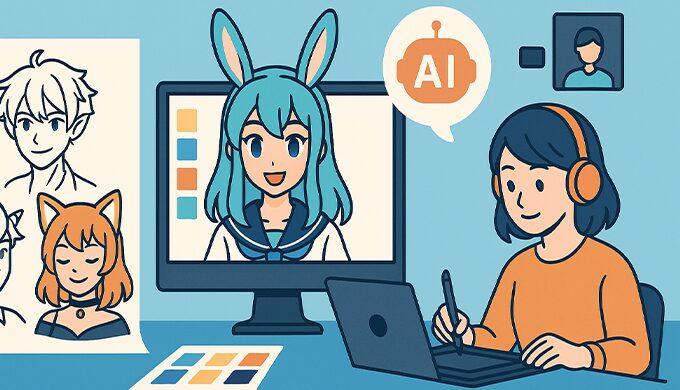
AI image generators like Midjourney, Stable Diffusion, and DALL·E can produce character concept art in seconds. This is genuinely useful for the earliest stage of the design process — exploring color palettes, outfit ideas, pose concepts, and overall aesthetic direction. Instead of describing your character concept in words to a commission artist, you can provide AI-generated concept images as visual references, dramatically reducing miscommunication.
However, AI-generated images should not be used directly as your final VTuber model for several important reasons. First, AI images cannot be rigged — they lack the layer separation required for Live2D animation. Second, commercial usage rights for AI-generated images are legally uncertain and vary by tool and jurisdiction. Third, audiences and fellow VTubers often react negatively to models that are clearly AI-generated rather than hand-drawn.
AI-Assisted Production
Some newer tools integrate AI into the production pipeline more directly. Live2D has introduced AI-assisted features in Cubism for automatic mesh generation and parameter suggestion. VRoid Studio uses AI-like procedural generation for hair and clothing customization. These tools use AI to speed up specific technical tasks while keeping the creative direction in human hands — a more sustainable and community-accepted approach than fully AI-generated models.
Voice and Video AI
AI voice tools like ElevenLabs and Replica Studios can generate voice packs and narration from your voice model (trained with your consent). AI video tools like OpusClip and Gling can automatically clip highlights from streams for social media distribution. These are production efficiency tools, not model creation tools, but they’re worth mentioning because they significantly reduce the post-production workload for VTubers.
Check AI Commercial Rights Carefully AI-generated assets exist in a legal gray area. Platform policies are evolving rapidly — YouTube requires disclosure of AI-generated content in certain categories, and some commission platforms prohibit AI-generated work entirely. If you use AI in any part of your model creation process, document what was AI-generated and what was human-created, and confirm that all assets have clear commercial usage rights.
5. Setting Up Your Model for Streaming
Once your model is complete — whether you built it yourself, received it from a commission, or assembled it from pre-made assets — you need to connect it to your streaming software.
Tracking Software
VTube Studio is the most popular choice for both Live2D and 3D models. It supports webcam tracking (via OpenSeeFace), iPhone ARKit tracking (for high-fidelity facial capture), and hand tracking. It’s available on Steam for PC/Mac and on iOS/Android as a companion tracking app. The base software is free; a one-time paid DLC removes the watermark.
VSeeFace is a free, open-source alternative for 3D VRM models. It provides solid webcam-based face tracking and supports VMC protocol for integration with other tracking devices (Leap Motion, VR trackers).
VNyan is a free 3D VTuber application with extensive customization through a visual node-based system. It supports webcam, ARKit, Leap Motion, and SteamVR tracking in a single application.
Connecting to OBS
Add your VTuber application as a source in OBS Studio. You can use “Game Capture” or “Window Capture” to grab the application window. For transparent backgrounds (so your avatar appears over your game or scene), enable chroma key in your tracking software or use Spout2/virtual camera output if supported. Set your tracking software to output at 30 or 60 fps matching your stream frame rate.
Testing Before Debut
Before your debut stream, run at least two full test sessions (private or unlisted streams) to verify: your avatar tracks correctly in all lighting conditions, expressions and toggles work as expected, the model doesn’t cause performance issues (dropped frames, high CPU usage), and the OBS scene composition looks professional with your avatar properly positioned.
6. Long-Term Model Management
Your model isn’t a one-time purchase — it’s a living part of your brand that evolves over time. Planning for updates, maintenance, and expansion from the start saves significant time and money later.
File Management
Keep organized backups of all model files: original PSDs, Live2D project files (CMO3/CAN3), VRM/FBX exports, expression toggle configurations, and any documentation from your commission artist. Store backups in at least two locations — a local external drive and cloud storage (Google Drive, Dropbox). Losing your source files means starting over from scratch if you need modifications.
Seasonal Updates and New Outfits
New outfits, seasonal costumes (Halloween, Christmas, summer), and visual updates keep your model fresh and give your audience reasons to tune in for “new outfit reveal” streams — which are consistently among the highest-engagement events for VTubers. Plan for at least 2–3 outfit updates per year if budget allows.
When commissioning additional outfits, return to the original artist if possible — they already have your source files and understand your model’s structure. If the original artist is unavailable, ensure you have the editable source files to provide to a new artist.
Model Upgrades
As your channel grows, you may want to upgrade from a basic model to an advanced one — adding more expressions, improving rigging quality, or commissioning an entirely new design. This is normal and expected. Many successful VTubers are on their second or third model iteration. Keep your legacy models backed up — they have nostalgic value for your community and can be brought back for special occasions.
7. Troubleshooting Common Model Issues
Model Won’t Load in VTube Studio
The most common cause is a file format mismatch. Verify that your model file is in the correct format for your software (MOC3 for Live2D in VTube Studio, VRM for 3D models in VSeeFace/VNyan). If the file loads but the model appears broken, check that the Live2D Cubism version used for rigging is compatible with the version VTube Studio expects.
Tracking Feels Unresponsive or Jittery
This is usually a lighting or camera issue, not a model issue. Improve your face lighting, ensure your camera is running at its maximum frame rate, and adjust tracking sensitivity settings in your VTuber software. If the issue persists, your model’s rigging parameters may need adjustment — contact your rigger for a calibration update.
Expressions or Toggles Don’t Work
Check that hotkeys are correctly mapped in your tracking software. VTube Studio uses a hotkey system where specific expressions or toggles are triggered by keyboard shortcuts or input bindings. If an expression was set up in Live2D but doesn’t appear in VTube Studio, the parameter naming may not match — consult your rigger.
High CPU/GPU Usage
Complex Live2D models with many deformation meshes and physics simulations can be resource-intensive. Reduce the physics quality setting in your tracking software, lower the model’s rendering resolution, or close other GPU-intensive applications. If the problem persists, ask your rigger to optimize the model’s mesh density.
8. FAQ
- How much should I budget for my first VTuber model?
- For a PNGTuber: $0–$100. For a basic Live2D model (illustration + rigging): $170–$400. For a custom 3D VRoid model: $45–$300. You can start with a PNGTuber or free VRoid model and upgrade as your channel grows. Don’t overspend on your first model — invest in upgrades once you know VTubing is for you.
- Should I go 2D (Live2D) or 3D?
- If your content is primarily face-cam streaming (chat, gaming, singing), Live2D is the better choice — it offers the highest visual quality at a lower cost. If you want full-body movement (dance, standing streams, VR), go 3D. Many VTubers start with Live2D and add a 3D model later for specific content types.
- Can I make a model myself with no art skills?
- Yes. VRoid Studio requires no artistic background — it’s a character creator with sliders and presets. For Live2D, you’ll need basic digital illustration skills for the art, but rigging tutorials on YouTube can teach you the technical side. PNGTubers can be made from commissioned art with zero technical skills.
- What files should I receive from a commission?
- At minimum: editable source files (PSD for art, CMO3/CAN3 for Live2D rigging, VRM/FBX for 3D), final exported model file, and written confirmation of commercial usage rights. Without editable source files, you can’t modify or update your model later.
- Is it safe to commission artists overseas?
- Yes, if you use reputable platforms with built-in payment protection (VGen, Etsy, Fiverr, Ko-fi). Communicate clearly in English, provide detailed references, and agree on all terms in writing before work begins. Avoid direct payment via PayPal Friends & Family or cryptocurrency — these offer no buyer protection.
- Can I use AI-generated art as my VTuber model?
- AI-generated images can’t be directly rigged as Live2D models (they lack layer separation). They’re best used as concept art and reference material. If you want to use AI-generated elements in your final model, confirm commercial usage rights and be transparent about AI usage — many VTuber communities react negatively to undisclosed AI art.
9. Conclusion: Your Avatar Is Your Brand
Your VTuber model is more than a technical asset — it’s the visual embodiment of your brand, your personality, and the first impression every viewer forms of your channel. Whether you start with a free VRoid model, a $50 PNGTuber, or a $2,000 custom Live2D commission, what matters most is that your avatar feels like you — expressive, intentional, and uniquely yours.
Start where your budget and skills allow. Focus on creating great content with whatever model you have today. Upgrade when your channel grows and your needs become clearer. And always, always keep backups of your source files.
Here’s your action plan:
- Today: Decide your model type (PNGTuber, Live2D, or 3D) based on your budget and content style.
- This week: If DIY, download VRoid Studio or Live2D Cubism and start the tutorials. If commissioning, browse VGen, Etsy, and Fiverr to find artists whose style matches your vision.
- Before debut: Run at least two test streams with your model. Verify tracking, expressions, and OBS integration.
- Ongoing: Back up all model files. Plan for seasonal outfit updates. Document your model’s technical setup for easy troubleshooting.
Your avatar is waiting to come to life. Start building today.
🎮 Ready to start your VTuber journey? Back to the VTuber Guide Hub ↓